BI tools build reports
Before the meeting, by the person who knows the tool. A new question in the room means “we’ll get back to you”.
 Sign in
Talk to sales
Request an invite
Invite-only beta
Aria turns plain questions to your AI (Claude, ChatGPT or Gemini) into live dashboards, maps and Word reports. On your laptop, your phone, or the TV in the meeting room.
Aria is invite-only while in beta, and free for the people in it. Already invited? Sign in.
Works with Claude · ChatGPT · Gemini · any AI app with custom connectors (MCP)
Before the meeting, by the person who knows the tool. A new question in the room means “we’ll get back to you”.
In your own window, and the answer scrolls away when the chat ends. Nobody else sees it.
Anyone asks, in plain words, and the shared screen changes: saved, sourced, and still there next week.
Add Aria to Claude, ChatGPT or Gemini as a custom connector, with this address:
https://askaria.now/mcp
Then sign in with your email. That's the whole setup.
Type or speak, the way you would ask a colleague:
The answer appears as a dashboard, a map or a Word document, on every screen that has it open: your laptop, your phone, or the big screen. It changes live as you keep talking.
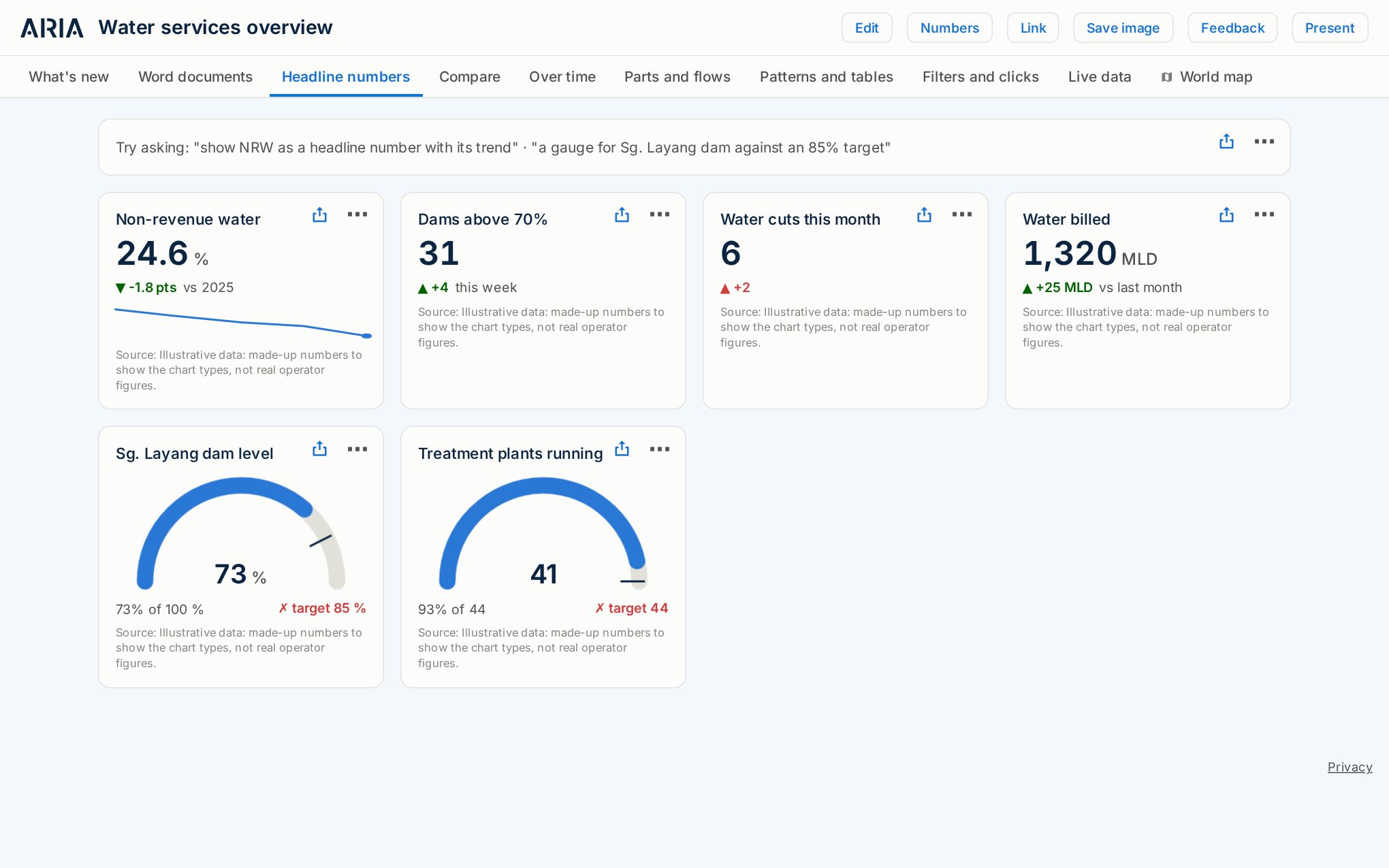
Headline numbers, bars, lines, maps, tables, gauges, flows and more. Every card says where its numbers come from.
Your own pins, areas and routes, with photos. Map tours that wait for you to say “next stop”, so you can talk over them.
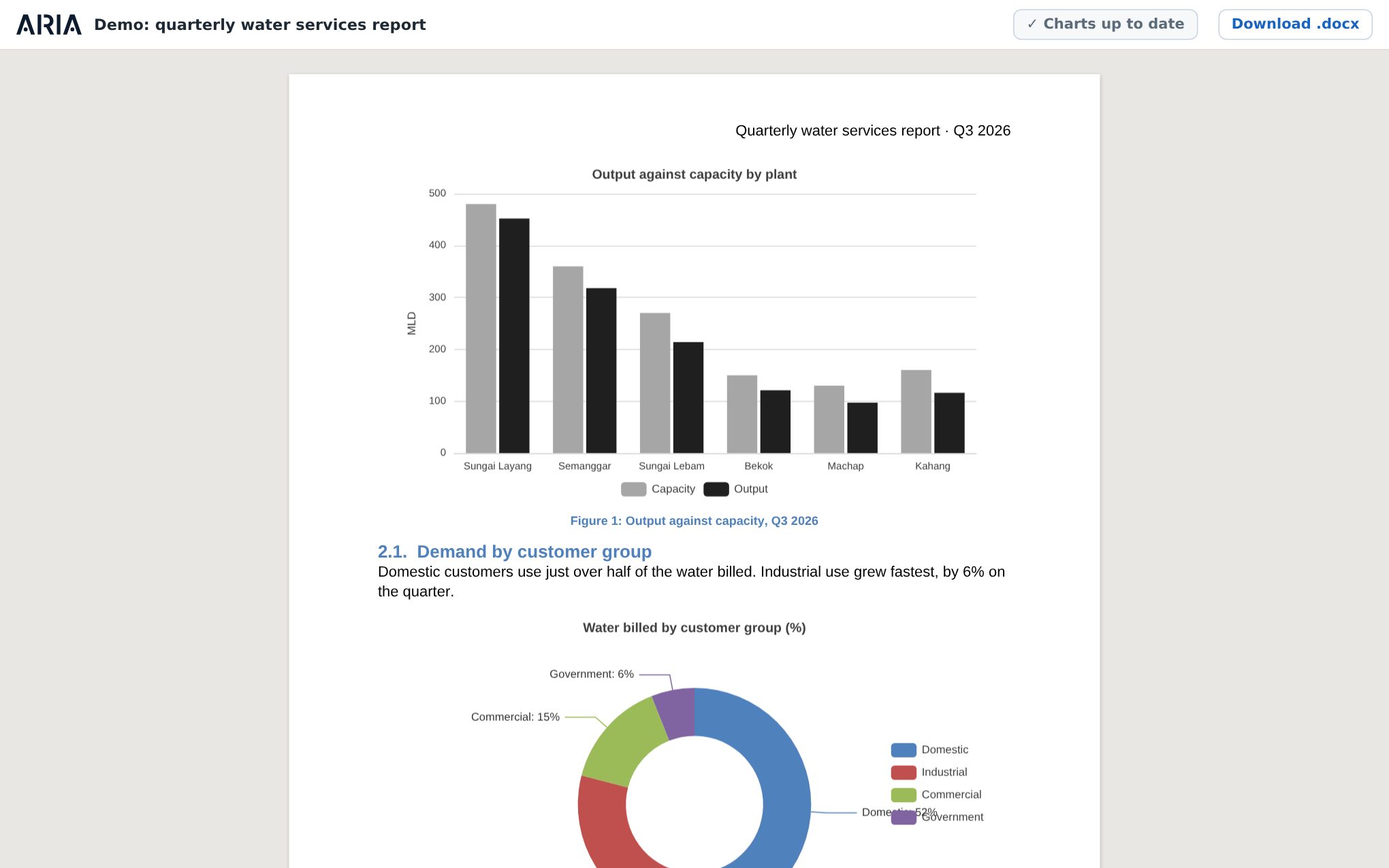
Aria writes and edits real .docx reports as you talk: headings, tables, charts and footnotes. Download it and finish in Word.
Open Aria on the meeting-room TV once. It follows whatever your team opens, so you present without touching it.
Drop in Excel or CSV files and photos. Ask about them straight away: Aria reads them into charts, tables and map pins.
Official open data is built in (data.gov.my, World Bank commodity prices, world energy figures), plus live bus positions.
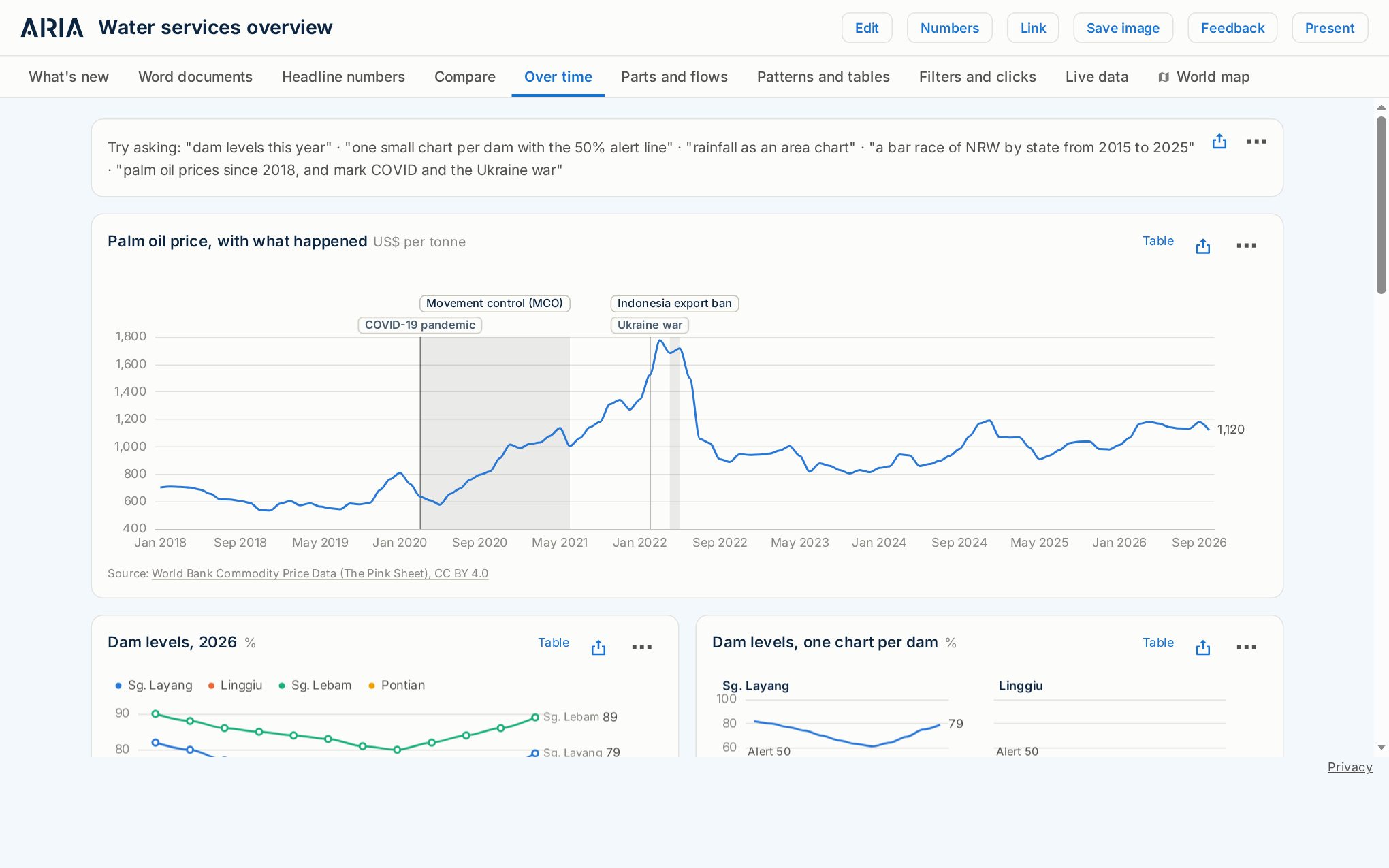
Ask Aria to mark events on a timeline (“mark COVID and the Ukraine war”) and the story is on the chart, not in a footnote.
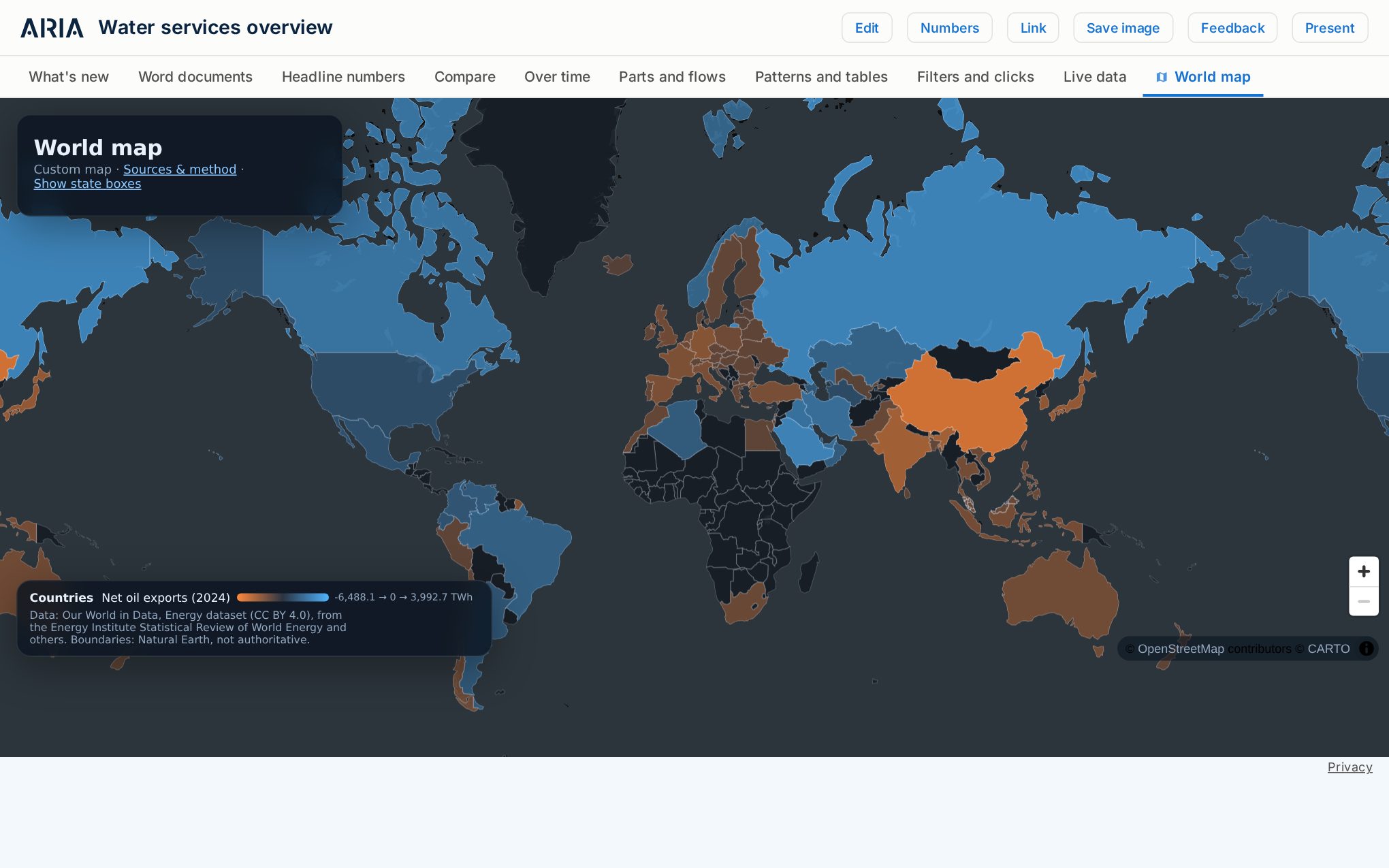
Shade countries or states, drop pins with photos, and fly the camera from place to place while you talk.
A chart taken from a dashboard keeps its link. When the dashboard gets new numbers, one click (or one sentence) updates the report.
NRW by district, dam levels and water cuts on the operations-room screen.
Board reports in Word, with charts that update when the numbers do.
Your own sheets with official open data, published clearly when you are ready.
Firms that bring Aria to the organisations they work with, and implement it with us.

Claude, ChatGPT and Gemini, and any other app that lets you add a
custom connector (MCP). The address is https://askaria.now/mcp. Some AI apps only offer custom connectors on
certain plans: check yours.
Keep it. BI tools are built for analysts to make reports ahead of time. Aria is for everyone else in the meeting: ask a new question and the screen changes, in seconds. Many teams will use both. See Why Aria.
Yes. You can open dashboards, edit cards by hand, upload files and present on the big screen. The AI is what builds things for you, from a sentence.
Only the people in your workspace. Dashboards start as drafts; you decide when to publish one to your company or as a public link. See Security and privacy.
Yes. Dashboards, maps and documents work on phones, and a phone can act as a remote for the big screen.
Aria is invite-only while in beta. Request an invite and we will email you when your place is ready. For a team or an organisation, talk to sales; if your company already uses Aria, ask the person who runs it to invite you.
Aria is free while in beta. For teams and organisations, see Pricing.
Press Feedback on a dashboard or your workspace page, or tell your AI “send feedback”. It reaches the Aria team with what was on your screen.
Aria started with a simple wish from water utilities in Malaysia: put the numbers that matter on the meeting-room screen, just by asking for them. It has grown into a tool for any team that would rather see the answer than dig through spreadsheets for it. Our story →
Aria is invite-only while in beta. Ask for a place, or talk to us about your team.
Already invited? Sign in